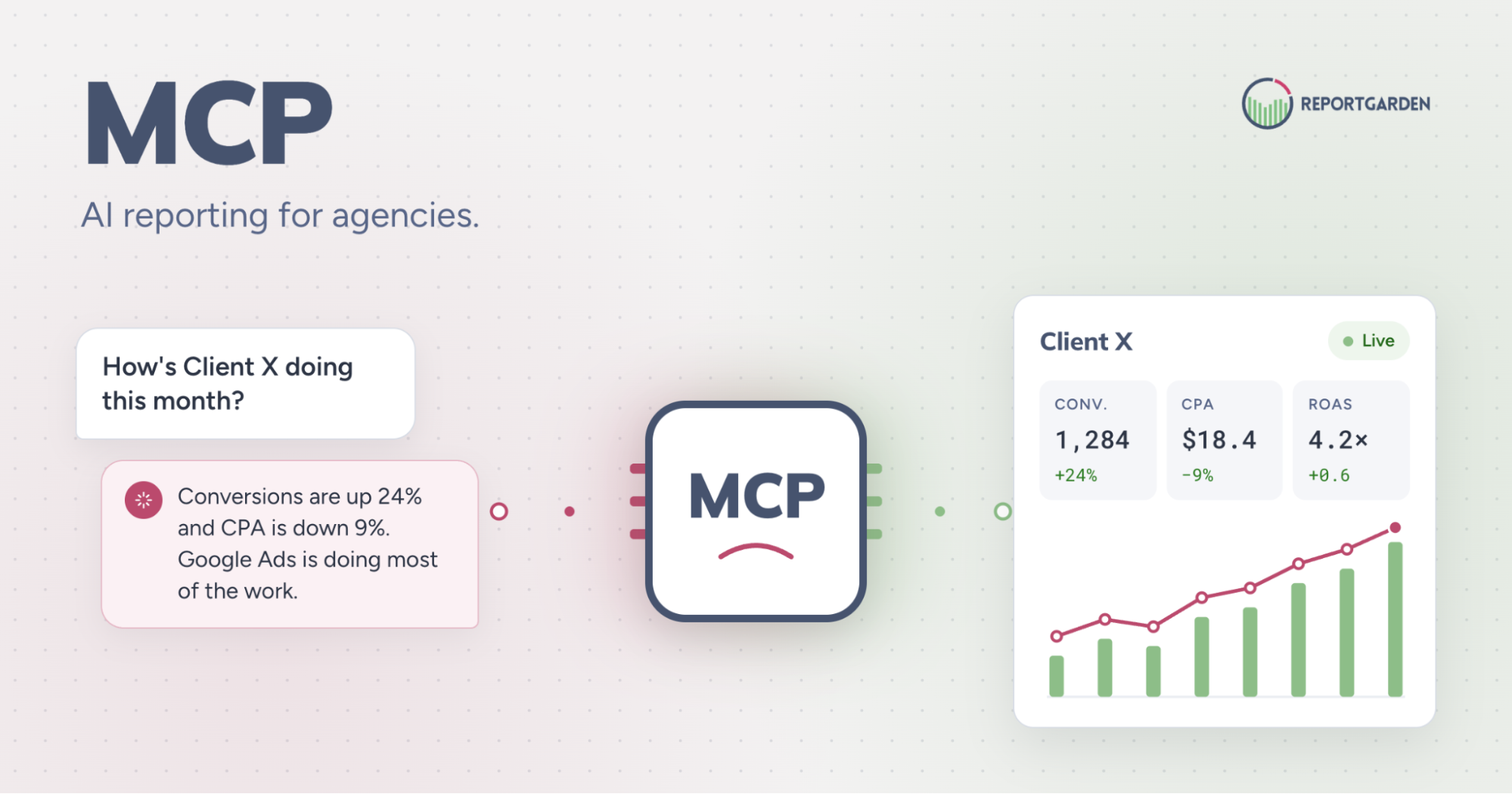
What is MCP, and why does it matter for your agency?
Picture this. It's 9pm, you're not near your laptop, and a client pings you on Slack asking how their campaign performed last week. Normally that means "let me check and get back to you tomorrow." Now, you open Claude (or ChatGPT), type the question, and get a real answer pulled straight from your ReportGarden data - right there in the chat.
That's what MCP unlocks: an AI reporting tool for agencies that lets you ask questions about client data in plain English and get instant, accurate answers. Your reporting data isn't locked inside the ReportGarden dashboard anymore - it can talk directly to the AI tools you're already using.
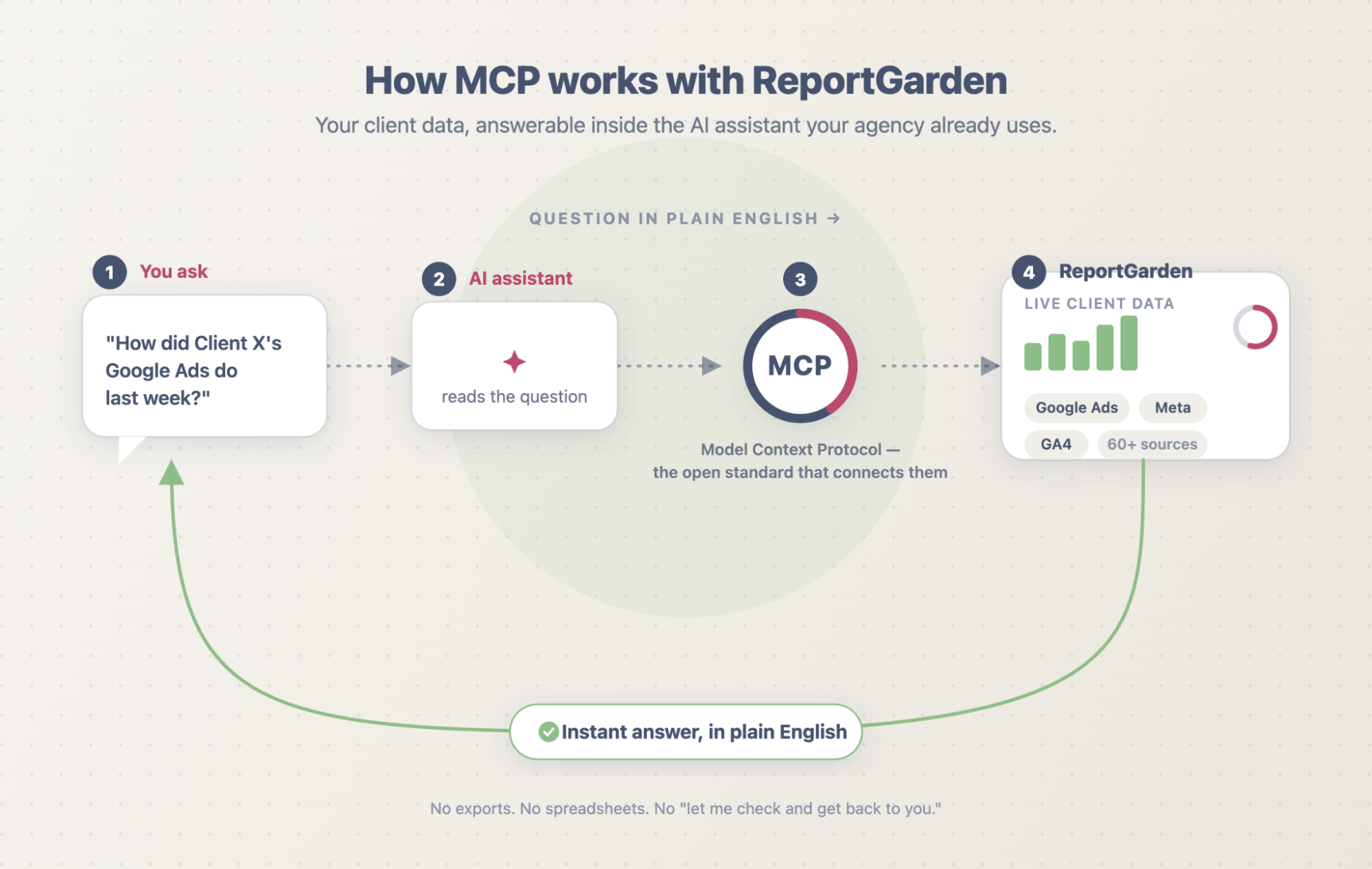
In short: MCP (Model Context Protocol) is an open standard, introduced by Anthropic, that connects AI assistants to live data sources. For marketing agencies, it turns ReportGarden into an AI reporting tool you can query in plain English - ask about any client's campaign and get an answer inside your AI assistant, with no export step in between.
What is MCP (Model Context Protocol)?
MCP, or Model Context Protocol, is an open standard that gives AI assistants a consistent way to connect to external tools and data sources. Instead of every app building its own one-off integration, MCP acts as a shared "port" that AI tools and data platforms can plug into. Anthropic introduced and open-sourced the protocol, and support has spread across a growing set of AI clients. For an agency, the practical meaning is simple: MCP is the bridge between your reporting data and the AI assistant you work in. Connect ReportGarden through MCP once, and your client campaign data becomes something you can ask questions about directly.
The old way vs. the new way of client reporting
For years, "automated" client reporting still meant a manual routine underneath: log in, find the report, export it, open it somewhere else, dig through the numbers. By the time you had your answer, you'd already lost 20 minutes you didn't have.
Now you skip all of that. Ask your question in plain language - "How's Client X's campaign doing this month?" - inside the AI tool you already use, and get a live answer pulled straight from your data.
No exports. No spreadsheets. No hunting.
Why AI reporting matters for marketing agencies?
Get answers in seconds, not spreadsheets. This is what real-time campaign reporting actually looks like day to day: the moment a client or teammate asks a question, you answer it - live, in the meeting, without saying "let me pull that and get back to you."
Spend less time compiling, more time strategizing. All those hours spent formatting exports for AI-powered marketing reports? Reclaim them for the work that actually grows accounts.
Never work off stale numbers. Because you're pulling straight from live data, what you see is always current - no outdated exports floating around.
What can you ask ReportGarden through your AI assistant?
Once ReportGarden is connected, you can ask questions about client data the way you'd ask a teammate.
For example:
- “What did we spend on Meta ads for this client last month?"
- "Which campaigns underperformed this week?"
- "Did all our client reports go out on time?"
You get an answer drawn from live ReportGarden data - no dashboard hunting, no export.
What does this mean day-to-day?
Think of it like having a sharp analyst on your team who's read every report, remembers every number, and never needs you to double-check a spreadsheet - you just ask, and they answer. It's the simplest way yet to reduce the time your agency spends on marketing reports without losing accuracy.
So next time a client pings you at 9pm asking how their campaign's doing, you don't have to say "let me check and get back to you." You just answer.
Turn ReportGarden into your agency's AI analyst
Connect ReportGarden to your AI assistant and start asking questions about client campaigns today. (Link to the ReportGarden MCP / AI reporting product page)
.gif)
Why agencies are going to love this
Get answers in seconds, not spreadsheets.
This is what real-time campaign reporting actually looks like day to day: the moment a client or teammate asks a question, you can answer it - live, in the meeting, without saying "let me pull that and get back to you."
Spend less time compiling, more time strategizing.
All those hours spent formatting exports for AI-powered marketing reports? Reclaim them for the work that actually grows accounts.
Never work off stale numbers.
Because you're pulling straight from live data, what you see is always current - no outdated exports floating around.
What this means day-to-day
Think of it like having a really sharp analyst on your team who's read every report, remembers every number, and never needs you to double-check a spreadsheet - you just ask, and they answer. It's the simplest way yet to reduce time spent on marketing reports without losing any accuracy.
So next time a client pings you at 9pm asking how their campaign's doing, you don't have to say "let me check and get back to you." You just answer.
FAQ
What is MCP?
MCP (Model Context Protocol) is an open standard, introduced by Anthropic, that lets AI assistants connect to external tools and data sources through a consistent interface. It's what allows an AI assistant to pull answers from a platform like ReportGarden.
What is an AI reporting tool for agencies?
An AI reporting tool lets an agency ask questions about client campaign data in plain language and get answers from live data, instead of exporting reports and reading them manually. With MCP, ReportGarden works as one inside the AI assistant you already use.
Do I need to export data or build dashboards to use it?
No. That's the point - you ask a question in your AI assistant and get an answer pulled from live ReportGarden data, without exports or manual dashboard building.
Which AI assistants work with ReportGarden's MCP?
ChatGPT and Claude.
.png)